


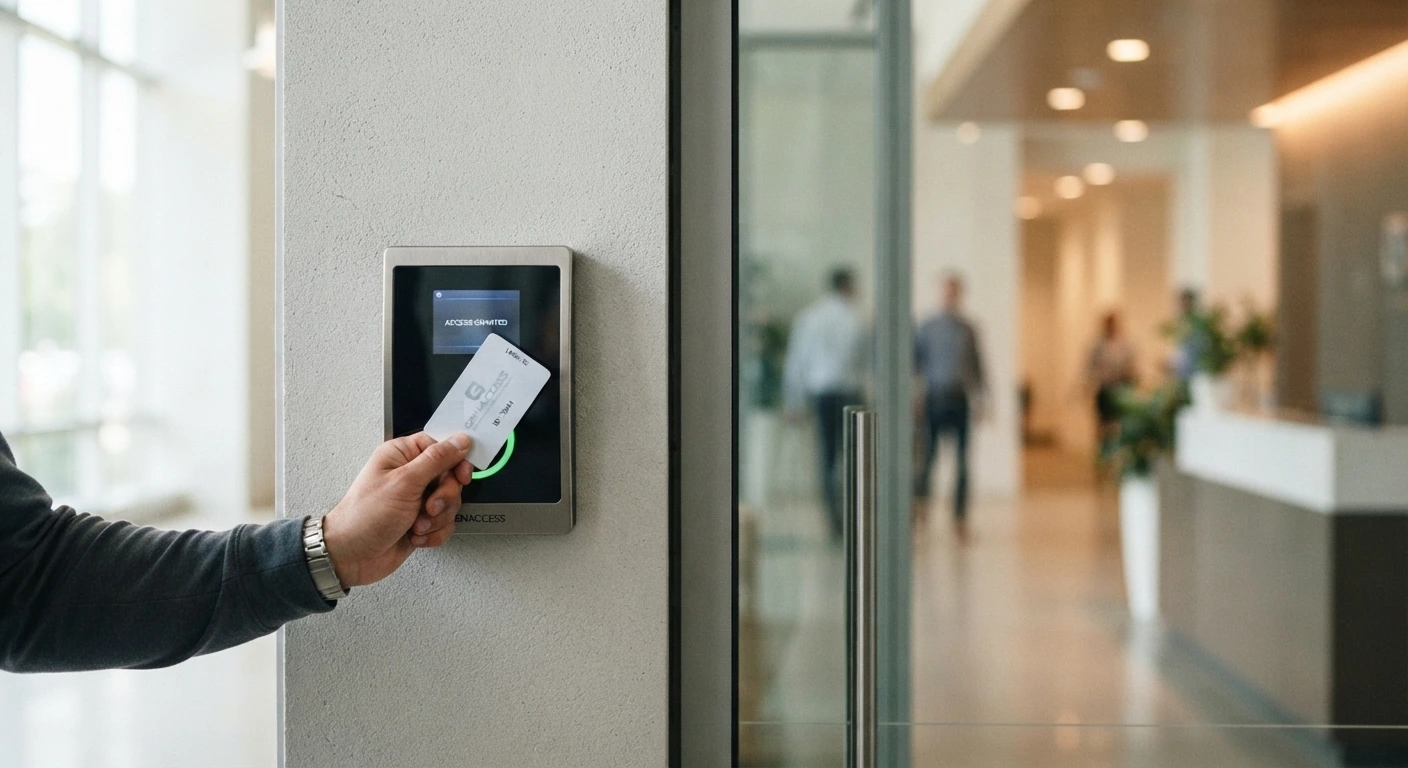
Traditional keys can secure a building, but they become harder to manage as more employees, doors, and access levels are added. A lost key may require rekeying locks, and a physical key usually cannot tell you when someone entered or which door they used.
Access control systems replace or supplement traditional keys with electronically managed credentials such as cards, key fobs, PINs, mobile devices, or biometrics. The system checks who is requesting entry, determines whether that person is authorized for the specific door and time, and then unlocks or keeps the opening secured.
For businesses, the main advantage is control. Access can be granted, changed, or removed without necessarily replacing the lock or issuing an entirely new set of physical keys.
What Is an Access Control System?
An access control system is an electronic security system that controls who can enter a protected area.
NIST defines a physical access control system as an electronic system that controls the ability of people or vehicles to enter a protected area through authentication and authorization at access points.
In practical terms, the system answers two questions: Who is requesting access, and is that person allowed through this door right now?
If both conditions are satisfied, the system sends a command that releases the locking hardware.
If the credential is invalid, expired, or not authorized for that door, access remains denied.
The Main Parts of an Access Control System
Most systems use several components that work together.
Credential
The credential identifies the user. Common options include access cards, key fobs, PIN codes, mobile credentials, smart cards, and biometric identifiers.
A credential does not necessarily mean the person can enter every door. It simply gives the system information it can use to identify and authenticate the user.
Reader
The reader receives the credential information. A user may tap a card, present a fob, enter a PIN, hold a phone near the reader, or use a fingerprint or another supported biometric.
The reader then sends the information to the access-control system for a decision.
Controller
The controller is one of the key decision-making components. It compares the credential with stored access permissions and determines whether the request should be approved.
NIST describes access controllers as components that read credential information and check authorization data before unlocking a door when access is permitted.
Electric Locking Hardware
If access is approved, the system needs a physical way to release the door. Depending on the opening, this may involve electric strikes, electrified locksets, magnetic locks, electrified panic hardware, or other compatible locking devices.
The correct hardware depends on the door, frame, fire rating, egress requirements, and security needs.
Management Software
Many access control systems include software that allows authorized administrators to control users, doors, schedules, and access levels.
The software may also maintain records of system activity.
How Does an Access Control System Work?
The process can happen in seconds.
Step 1: A User Presents a Credential An employee approaches a controlled entrance and presents a card, fob, PIN, phone, or another accepted credential.
Step 2: The Reader Captures the Information The door reader receives the credential data and sends it to the access controller or connected system.
Step 3: The System Checks Authorization The system compares the credential against its access rules. It may check whether the credential is active, which doors the person can enter, what days and times access is permitted, whether the credential has expired, or whether another security condition applies.
Step 4: Access Is Granted or Denied If the user is authorized, the system releases the electronic locking hardware for a set period, and the person opens the door and enters. If authorization fails, the door remains locked.
Step 5: The Event May Be Recorded Many commercial systems create an activity record showing details such as credential used, door, date, time, access granted, or access denied.
That record can help businesses investigate unusual activity and manage access more effectively.
Authentication and Authorization Are Different
These two terms are important when understanding access control systems.
Authentication asks, “Who are you?” The credential helps establish the identity connected with the access request. For example, a particular card may belong to Employee 24.
Authorization asks, “What are you allowed to access?” After identifying the credential, the system checks its permissions. Employee 24 may be allowed through the front entrance and second-floor office but not into the server room.
NIST guidance for physical access systems treats authentication and authorization as central parts of controlling entry to protected facilities.
This separation allows one building to give different employees different access without installing completely unrelated locking systems.
Access Levels Make the System Easier to Manage
Giving permissions one door at a time can become inefficient in a large building.
Access levels group permissions together.
Example: Office Access Levels
A business might create:
- General Employee: main entrance, shared office areas, staff kitchen
- Finance Staff: general employee areas, finance department, records room
- Manager: general areas, department offices, selected storage rooms
- Building Administrator: most controlled doors
When a new employee joins, management assigns the appropriate access level instead of programming every individual door manually.
Access Can Be Limited by Time
Physical keys usually work at any hour. Electronic access can be more selective.
For example, a cleaning contractor may be allowed into the building only from 6:00 PM to 10:00 PM on weekdays. A regular employee may have access from early morning until evening. A manager may have broader access.
Time-Based Permissions Can Help Control
- After-hours entry
- Weekend access
- Temporary contractors
- Vendors
- Cleaning crews
- Shift workers
- Special events
When a schedule ends, the credential no longer needs to open the assigned door outside the permitted period.
Cards and Fobs Are Common Access Credentials
Cards and key fobs are widely used because they are simple for employees to carry and use.
A person presents the credential to a compatible reader, and the system checks whether it is authorized.
One Major Advantage Over Traditional Keys
If a physical key disappears, the business may not know who finds it or whether copies exist. With an electronic credential, administrators can usually deactivate the lost card or fob in the system.
A replacement credential can then be issued without necessarily changing the lock on every door the old credential could access.
NIST physical-access guidance similarly calls for compromised or lost credentials to be invalidated and removed from applicable access-control lists.
Mobile Access Control Uses a Phone as the Credential
Some newer systems allow authorized users to present a mobile credential from a smartphone.
Depending on the system, communication may use technologies such as Bluetooth or near-field communication.
This can reduce the number of physical cards a business needs to issue.
Mobile Credentials Can Be Useful For
- Employees
- Temporary visitors
- Contractors
- Multiple office locations
- Short-term access
They still need the same type of access planning as cards and fobs. Giving someone a mobile credential does not mean that person should receive unrestricted building access.
Keypad Access Uses PIN Codes
A keypad allows users to enter a numerical code rather than carrying a card.
This can work for smaller installations or selected doors, but shared codes create access-control problems.
If ten employees know one PIN and one employee leaves, the business may need to change the code for everyone.
Individual PINs Provide Better Control
Where the system supports them, separate credentials are easier to remove and track.
Avoid predictable PINs based on addresses, birthdays, simple sequences, repeated digits, or company phone numbers.
A code should be treated as a security credential, not a convenient number everyone can remember.
Biometric Access Uses a Physical Characteristic
Biometric systems may use fingerprints, facial characteristics, iris patterns, or other identifiers depending on the technology.
These systems can reduce reliance on credentials that can be physically lost.
However, biometric access requires additional consideration because biometric information is more sensitive than a basic card number.
Businesses considering biometric access control systems should review privacy, storage, security, consent, and applicable legal requirements before deployment.
Access Control Does Not Mean Every Door Needs an Electric Lock
A building can combine electronic and traditional locking.
For example, the main employee entrance uses card access, private offices use mechanical locks, the server room uses controlled electronic access, a storage closet uses a standard key, and emergency exits use code-compliant egress hardware.
The best design depends on which doors actually need managed access.
Adding electronic hardware to every opening can increase cost and system complexity without providing a useful security benefit.
Access Control and Emergency Egress Must Work Together
Controlling entry cannot interfere with required exit.
A card reader may control who enters from outside, but occupants still need to leave according to applicable building and fire-safety requirements.
This becomes especially important with magnetic locks, electric strikes, electrified panic bars, delayed egress hardware, and fire-rated doors.
Entry and Exit Are Separate Questions
A door may remain secured against unauthorized entry while still allowing people inside to exit through approved hardware.
Security should therefore be designed around the complete door rather than treating the reader and lock as separate equipment.
Magnetic Locks Require Careful System Design
Electromagnetic locks use electrical power to create a strong magnetic holding force between the door and frame.
When power is removed, the magnetic force releases.
This makes them useful in some access-control applications, but egress requirements must be considered carefully because the system must provide the required release conditions.
A magnetic lock should not simply be added because it is easy to mount.
The door type, egress arrangement, fire alarm integration, power supply, request-to-exit controls, and applicable codes can affect the installation.
Electric Strikes Work Differently
An electric strike replaces or modifies the strike area in the frame.
When access is granted, the strike releases so the door can open while the mechanical latch remains part of the lockset.
Electric strikes are common in commercial access-control installations because they can work with several door and lock configurations.
However, not every strike works with every opening. Selection needs to consider door type, frame material, lock type, fire rating, fail-safe or fail-secure operation, and egress requirements.
Hardware compatibility is part of the system design.
Fail-Safe and Fail-Secure Describe What Happens During Power Loss
These terms are often confused.
Fail-Safe: A fail-safe lock unlocks when electrical power is lost.
Fail-Secure: A fail-secure lock remains secured from the controlled side when power is lost, while required mechanical egress may still be available from inside.
Neither option is automatically correct for every door. Life-safety requirements, security needs, fire-rating conditions, and how occupants leave the building determine which arrangement is appropriate.
Access Logs Add Accountability
One of the main differences between electronic access and traditional keys is that many systems can record activity.
A manager may be able to see when a particular credential was used at a controlled door.
Logs Can Help With
- Reviewing denied entry attempts
- Investigating after-hours access
- Confirming contractor entry
- Understanding door activity
- Identifying repeated credential problems
Logs are useful, but they should not be confused with complete surveillance. A record can show which credential was presented. It does not always prove who physically carried the credential at that moment.
Lost Credentials Should Be Disabled Quickly
The security advantage of electronic access depends on management actually updating the system.
If an employee reports a missing card, the credential should be disabled rather than left active because a replacement is being issued.
The same applies when someone leaves the business.
Remove Access When
- Employment ends
- A contractor finishes work
- A card or fob is lost
- A credential is suspected of compromise
- An employee changes departments
- Temporary access expires
NIST guidance similarly emphasizes invalidating physical-access credentials when they are lost, compromised, or connected with a terminated identity.
What Businesses Should Decide Before Installing Access Control
The hardware should come after the access plan.
Start with the building and how people use it.
Ask These Questions First
- Which doors need electronic control?
- Who needs access to each area?
- Should access change by time or day?
- Are visitors given temporary credentials?
- What happens when a credential is lost?
- Which doors are emergency exits?
- Are any doors fire-rated?
- Does the system need activity logs?
- Will it connect with alarms or video systems?
- Who will administer credentials?
These decisions determine what kind of system makes sense.
Avoid These Common Access Control Mistakes
Giving everyone the same access. Electronic access is most useful when permissions follow job responsibilities.
Sharing credentials. Employees should not pass cards, fobs, or PINs between one another.
Forgetting former employees. Inactive users should be removed promptly.
Ignoring the physical door. A reader cannot fix a sagging door, broken closer, worn latch, or damaged frame.
Choosing hardware before checking egress. The electric lock must work with life-safety requirements.
Creating too many access levels. An unnecessarily complicated system becomes difficult to administer.
A Simple Access Control Planning Checklist
Before installation, work through these steps:
Building: Identify doors that need controlled entry. Check door and frame condition. Identify fire-rated and emergency exit doors. Review existing mechanical locks and panic hardware.
Users: List employee groups. Define access areas. Set time schedules where needed. Decide how visitor and contractor access will work.
Credentials: Choose cards, fobs, PINs, mobile access, or another method. Establish a lost-credential procedure. Limit administrator permissions. Create an employee offboarding process.
System operation: Confirm locking hardware compatibility. Review power-loss behavior. Consider alarm or video integration. Plan system maintenance and testing.
A clear plan prevents the system from becoming more complicated than the building requires.
Access Control Works Best When the Door and Permissions Are Planned Together
The purpose of an access system is not simply to replace keys with cards or keypads. It is to give a business more control over who can enter specific areas, when access is allowed, and how quickly permissions can be changed when staff or security needs change. Our complete guide to access control systems in Brooklyn covers installation and setup in more depth.
Susu Locksmith can help businesses with access control systems where door hardware, electronic locking, credential access, and physical security need to work together. Contact us to discuss which doors and access levels make sense for your building.

